
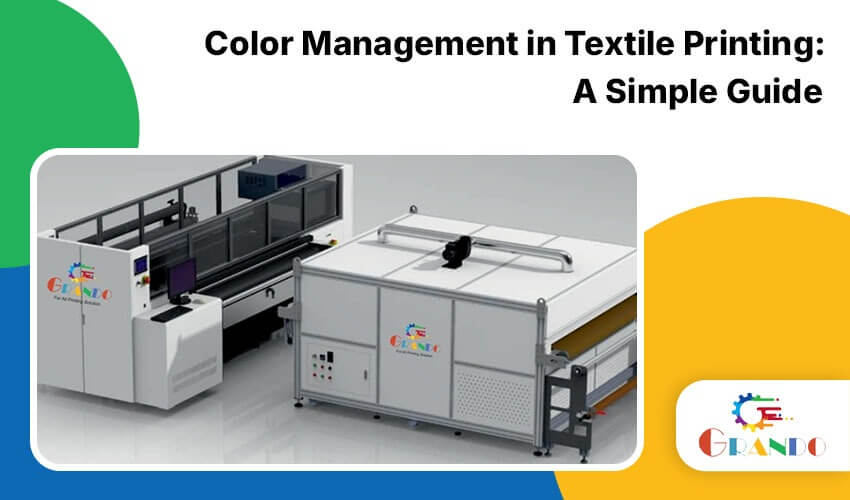
Two digital textile printers can print the same design on the same fabric and still produce different shades of red. For textile manufacturers, garment businesses, and printing units, this difference can lead to rejected samples, fabric wastage, costly reprints, and unhappy customers.
Color management in textile printing helps businesses reproduce colors consistently from the design screen to the finished fabric. It involves monitor calibration, ICC profiling, printer maintenance, RIP software settings, ink selection, and fabric-specific testing.
For businesses investing in a digital textile printing machine, understanding color management is essential for maintaining print quality, reducing production errors, and delivering consistent results to customers.
In this guide, Grando India explains how textile color management works, why colors change during printing, and how businesses can improve color accuracy across different fabrics and printing technologies.
What Is Color Management in Textile Printing?
Color management in textile printing is the process of controlling and translating colors across design software, monitors, RIP software, printers, inks, and fabrics to achieve predictable printing results.
Each device reproduces color differently. A computer monitor emits light, while printed fabric reflects light. As a result, the color displayed on the screen may not look exactly the same after printing, heat transfer, steaming, curing, or washing.
An ICC profile (International Color Consortium profile) helps describe how a particular device reproduces color. When configured correctly in a compatible RIP workflow, it helps translate design colors into appropriate printer output.
Effective color management helps textile printing businesses:
- Maintain consistent shades across production batches.
- Reduce unnecessary test prints and fabric wastage.
- Improve sample approval and customer satisfaction.
- Achieve more predictable results on different fabrics.
- Maintain color quality when production volumes increase.
For commercial printing units, color management should be treated as part of the production process rather than a last-minute correction.
Why Colors Shift Between Screen and Fabric
Color differences can occur even when the design file remains unchanged. The most common causes include the following.
1. Monitor and printed color differences
Monitors emit light, while fabric reflects it. Because of this difference, not every screen color can be reproduced exactly using textile inks.
2. Different fabric types
Cotton, silk, polyester, and blended fabrics have different surface properties and ink absorption characteristics. A color profile suitable for one fabric may not deliver the same results on another.
3. Incorrect ICC profiles
Using an unsuitable or outdated profile can cause colors to appear too dull, too saturated, or different from the approved sample.
4. Printhead problems
Blocked nozzles, weak ink delivery, and incorrect printhead alignment can cause streaks, banding, uneven shades, and pale patches.
5. Heat transfer, steaming, curing, and washing
The final shade may change during the fixation process. Sublimation, reactive, and pigment printing each require suitable process settings and color verification.
6. Temperature, humidity, and viewing light
Environmental conditions can affect printing performance. In addition, the same fabric shade may appear different under daylight and artificial lighting.
Identifying the cause before changing printer settings helps operators avoid unnecessary adjustments and repeated production errors.
A 6-Step Color Management Workflow for Textile Printing
A consistent workflow helps printing businesses achieve more predictable color reproduction and identify problems before they affect large fabric orders.
| Step | What to do | Why it matters |
| 1. Calibrate the monitor | Use a suitable calibration device to establish consistent monitor settings. This helps designers make more reliable color decisions before sending files for printing. | Designers approve true colors |
| 2. Check printer health | Run a nozzle check, inspect printhead alignment, and clean the heads according to the manufacturer’s instructions. Resolve visible banding and ink-delivery problems before creating a color profile. | Fixes banding before you tune color |
| 3. Set ink limits | Configure suitable ink limits and linearization settings for the printer, ink, and fabric combination. This helps control ink usage and improve tonal consistency. | Smooth gradients, no over-inking |
| 4. Create an ICC Profile | Print a suitable test chart and measure it using a compatible spectrophotometer. Use the measurements to create a profile for the relevant printer, ink, fabric, and printing conditions. | Accurate translation for each printer, ink and fabric combination |
| 5. Configure the RIP | Load the appropriate ICC profile into compatible RIP software. Configure the relevant color conversion and rendering settings for the job. | Consistent conversion on every job |
| 6. Verify and log | Print a test swatch and compare it with the approved reference under consistent lighting. Record the fabric type, ink, profile, and production settings so the job can be repeated more reliably. | Repeatable results |
Important: Recheck the profile whenever the fabric, ink batch, printhead, or other significant production conditions change. Follow a scheduled verification routine based on production volume and color requirements.
Color Management for Sublimation, Reactive, and Pigment Printing
Different textile printing technologies require different approaches to color profiling and final color verification.
- Sublimation Printing
Sublimation printing is commonly used for polyester fabrics. The color on transfer paper may look different from the final result after heat transfer.
For accurate evaluation, test the finished fabric after the complete transfer process rather than relying only on the paper print.
Explore Grando’s 8-head sublimation printer for commercial printing requirements.
- Reactive Printing
Reactive printing is commonly used for suitable natural-fiber fabrics, including cotton. The final shade depends on ink formulation, pretreatment, steaming, washing, and other process conditions.
Color should be evaluated after the complete fixation and finishing process.
- Pigment Printing
Pigment printing uses pigments that are fixed to the fabric with a suitable binder and curing process. Incorrect curing conditions or unsuitable process settings can affect the final appearance and consistency.
In all three technologies, use profiles and production settings appropriate to the actual machine, ink, fabric, and finishing workflow.
Common Color Management Mistakes
Even a capable digital textile printing machine can produce inconsistent output when color management practices are not followed.
- Using one profile for every fabric: Different materials may require different profiles and settings.
- Ignoring regular nozzle checks: Printhead problems can cause defects that color profiling cannot correct.
- Mixing ink batches without testing: Print a test swatch before using a new ink batch for an important production order.
- Approving colors under inconsistent lighting: Compare samples under suitable, consistent viewing conditions.
- Checking color before fixation: Evaluate the finished fabric after the required heat transfer, steaming, curing, or washing process.
- Using outdated profiles: Recheck color performance when materials, equipment, or output conditions change.
These practices help businesses identify problems earlier, improve production consistency, and reduce avoidable reprints.
How Grando India Supports Digital Textile Printing Businesses
Looking for the right printing or embroidery machine for your business? Grando India helps businesses in Surat explore digital textile printing solutions based on their fabric requirements, production capacity, print quality expectations, and business goals.
Whether you are setting up a new printing unit, expanding your existing production, or upgrading your equipment, explore Grando’s range of sublimation printers in Surat, DTF printers, embroidery machines, and direct-to-fabric digital textile printers.
Grando’s 8-Head Sublimation Printer
Grando’s 8-head sublimation printers use a smart feeding system that keeps fabric tension constant, so print alignment and color stay even across the roll. Automatic cleaning and an anti-clogging system protect printhead life. The 2-metre CEJ-2008TX Pro is listed with a maximum resolution of 3600 dpi. Higher print resolution sharpens detail, while your profile and RIP settings control the color itself.
Grando’s Direct-to-Fabric Printer
Our direct-to-fabric digital textile printer works with an advanced color management system for true, lively colors on silk, cotton, and polyester. Pair either machine with matched sublimation printer ink so ink, machine, and profile work as one system.
DTF Printer in Surat
Planning to print custom designs for T-shirts, fashion apparel, or personalized garments? A DTF printer can be an option for businesses looking to expand into garment decoration. Discuss your intended applications, production volume, film and powder workflow, and maintenance requirements with the Grando team to identify a suitable setup.
Embroidery Machines in Surat
Want to add embroidery to your garment production business? Computerized embroidery machines can help businesses produce decorative logos, patterns, and customized designs. Explore Grando’s computerized embroidery machine range to learn more about available options for your production requirements.
Next Steps: Learn More or Book a Demo
Choosing between technologies? Read our guide to textile digital printing technologies. Planning a new unit in Surat, Gujarat or elsewhere in India? See our digital textile printing factory setup guide. Our team also offers live demonstrations, technical consultation and on-site training, so your operators learn calibration and checks on real fabric.
FAQs: Color Management in Textile Printing
Q1) What is color management in textile printing?
Ans: Color management is the process of calibrating and profiling your monitor, RIP, printer, ink and fabric together. It makes sure the shade you approve on screen is the shade that comes off the machine, batch after batch. This reduces reprints and builds customer trust.
Q2) Why does printed fabric look different from the design on my screen?
Ans:A monitor emits light, while fabric reflects light. Fabric properties, ink behavior, printer settings, fixation, and viewing conditions can also change the perceived color. Calibration, appropriate ICC profiling, and finished-fabric testing help reduce these differences.
Q3) What is an ICC profile?
Ans:An ICC profile describes how a device reproduces color. Compatible RIP software uses it as part of the color conversion workflow to help translate design colors into suitable printer output.
Q4) How often should I recalibrate a digital fabric printer?
Ans: Recalibrate whenever you change fabric, ink batch or printhead, and on a fixed schedule based on your volume. Most high-volume print units recalibrate monthly or quarterly. Check again if printed swatches start to drift from the approved sample.
Q5) Can I do color management without a spectrophotometer?
Ans: Approved swatches and standard lighting help you spot drift, but they cannot build an accurate profile. For ICC profiling, you need a spectrophotometer to measure printed test charts. A basic spectrophotometer costs ₹50,000–₹150,000; the investment pays for itself in reduced reprints within 3–6 months for most print units.
Q6) Does printhead condition affect color?
Ans: Yes. Blocked or weak nozzles cause banding, streaks and pale patches that no profile can correct. Run a nozzle check and clean the heads before profiling, and follow a routine cleaning schedule. Regular maintenance is the cheapest way to protect color consistency.
Q7) Where can I see the Grando digital printing machine in Surat?
Ans: Grando India offers live demonstrations, technical consultation and on-site training in Surat, Gujarat. Contact us to book a demo, and ask our team about testing your own fabric on a Grando machine. We can also discuss your specific color management challenges and recommend equipment accordingly.
Q8) What spectrophotometer does Grando recommend?
Ans: Grando partners with spectrophotometer suppliers who meet industrial textile printing standards. We recommend models from Konica Minolta (Spectrophotometer CM-5), X-Rite (i1Pro 3), and Datacolor (SpectralMatch) based on your budget and precision requirements. Our team can advise during a consultation; most recommended models cost ₹60,000–₹200,000 and integrate with common RIP software. Contact Grando India for specific recommendations for your print unit.
Conclusion
Good color management in textile printing is a routine: calibrate, profile, verify, and keep your printer healthy. Do that consistently and every batch matches the last, which cuts reprints and builds buyer trust. A reliable machine makes the routine easier, which is why many print units choose Surat, Gujarat, and India chooses the Grando digital printing machine for steady, repeatable output.
Ready to improve color accuracy and production efficiency? Contact Grando India, Surat, Gujarat, for a live demonstration of the Grando digital printing machine, a consultation or a quotation.
Planning to invest in a digital textile printing machine?
Contact Grando India in Surat, Gujarat, to discuss your application, explore suitable machine configurations, and arrange a demonstration or quotation.
— Book a machine demo: See how a suitable printing setup works for your application.
— Discuss your requirements: Get guidance on fabric compatibility, printing technology, and production capacity.
— Request a quotation: Explore machine options for your business.