
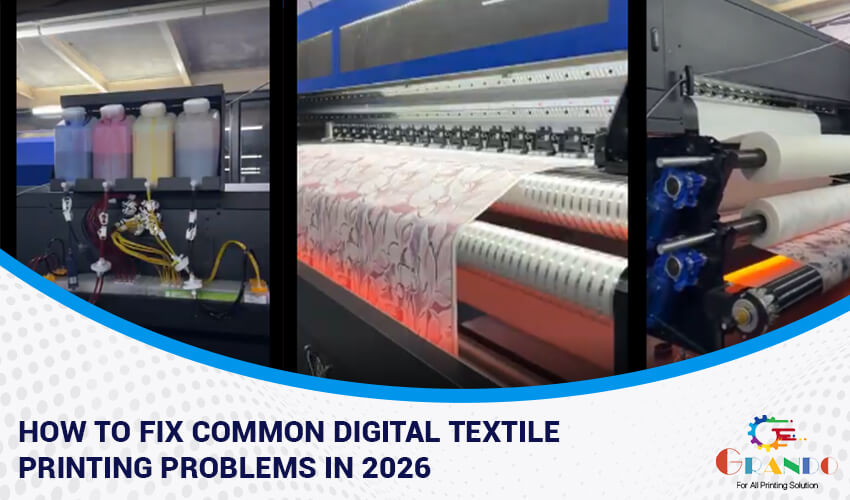
Digital textile printing has transformed the fabric industry, offering faster production, vibrant colors, and limitless design possibilities. Whether you operate a digital fabric printing machine in a factory or use a fabric printing machine at home, technical challenges can still arise. Understanding how to identify and resolve these digital textile printing problems is essential to maintain quality, efficiency, and profitability.
This guide covers the most common issues faced by printers for fabric and practical solutions to keep your machine running smoothly in 2026 and beyond.
Common Print Quality Problems in Digital Fabric Printing Machines
Print quality issues such as banding, faded colors, or uneven prints are among the most reported digital textile printing problems.
Common causes include:
- Clogged print heads
- Incorrect color profiles
- Settings for low-resolution printing
- Poor fabric pre-treatment
How to fix it:
- Run nozzle checks daily
- Use correct ICC profiles for each fabric type
- Increase print resolution for detailed designs
- Ensure proper fabric coating or pre-treatment
Regular calibration ensures consistent color output across your digital fabric printing machine.
Fixing Print Head Issues in Fabric Printers
Print heads are the heart of any fabric printing machine. When they fail, production slows down.
Typical symptoms:
- Missing lines
- Ink splatter
- Distorted images
Solutions:
- Perform automatic and manual head cleaning
- Use only manufacturer-approved inks
- Maintain stable room temperature and humidity
- Replace worn-out dampers and filters
Preventive maintenance significantly extends print head life and improves output quality.
Solving Fabric Feed Problems in Direct-to-Fabric Printing Machines
Misaligned fabric or slipping feed rollers can ruin entire print batches.
Signs of fabric feed issues:
- Skewed prints
- Wrinkles or fabric jams
- Uneven margins
How to fix:
- Clean feed rollers regularly
- Adjust tension settings
- Use fabric guides correctly
- Ensure fabric is properly loaded
If you operate a direct-to-fabric printing machine, precise fabric feeding is essential for accurate pattern placement.
Troubleshooting Ink Issues in Digital Fabric Printing Machines
Ink-related problems can lead to color shifts, bleeding, or poor wash fastness.
Common ink issues:
- Air bubbles in ink lines
- Ink settling
- Wrong ink formulation
Solutions:
- Shake ink cartridges before installation
- Purge ink lines periodically
- Use Sublimation inks designed for your machine and fabric type
For a digital printing machine for cotton fabric, reactive inks typically offer superior penetration and durability.
Resolving Digital Fabric Printing Software Problems
Software glitches can stop production even when the hardware is functioning perfectly.
Frequent software problems:
- RIP software crashes
- Incorrect file scaling
- Color mismatch
Fixes:
- Keep software updated
- Reinstall corrupted drivers
- Verify file formats and resolution
- Recalibrate color profiles
Modern machines such as the Grando digital printing machine integrate advanced RIP software for smoother operation.
Common Issues with Direct-to-Fabric Printing Machines
Direct-to-fabric technology eliminates transfer paper but introduces its own challenges.
Typical problems:
- Ink penetration issues
- Fabric curling
- Drying inconsistencies
Solutions:
- Adjust ink volume settings
- Use proper fabric pre-treatment
- Ensure effective drying systems
When set up correctly, a direct-to-fabric printing machine offers excellent speed and color vibrancy.
Troubleshooting Cotton Fabric Digital Printing Issues
Cotton remains one of the most popular fabrics for digital printing.
Cotton-specific challenges:
- Poor color bonding
- Faded prints after washing
- Ink spreading
Best practices:
- Use reactive inks
- Apply proper pre-treatment
- Steam and wash fabrics after printing
A high-quality cotton printing machine combined with proper workflow produces professional-grade results.
Keep Your Fabric Printing Machine Running Smoothly
Preventive maintenance reduces downtime and costly repairs.
Maintenance checklist:
- Daily nozzle checks
- Weekly deep cleaning
- Monthly lubrication
- Quarterly inspection by technicians
Consistent care keeps your fabric printing machine performing like new.
DIY vs Professional Service for Digital Textile Printers
Some issues can be solved in-house, while others require expert assistance.
DIY tasks:
- Cleaning
- Ink replacement
- Basic calibration
Professional service needed for:
- Print head replacement
- Electrical faults
- Major mechanical repairs
Partnering with a reliable service provider ensures faster recovery and a longer machine lifespan.
Why Choose Grando for Digital Textile Printer Service
Grando is a trusted name in digital textile printing technology. The Grando digital printing machine is known for durability, precision, and advanced features. Businesses across India rely on Grando for both equipment and after-sales support.
If you’re exploring options, browsing Grando digital printing machine in India photos can help you visualize machine configurations and production setups.
Benefits of choosing Grando:
- Expert technicians
- Genuine spare parts
- Fast response time
- Comprehensive training
Ready to Solve Your Digital Textile Printing Problems?
Don’t let machine issues slow down your production. Whether you need troubleshooting advice, spare parts, or professional servicing, our experts are here to help.
Get in touch with us right now for a free consultation and maintain the best possible performance from your fabric printers!