
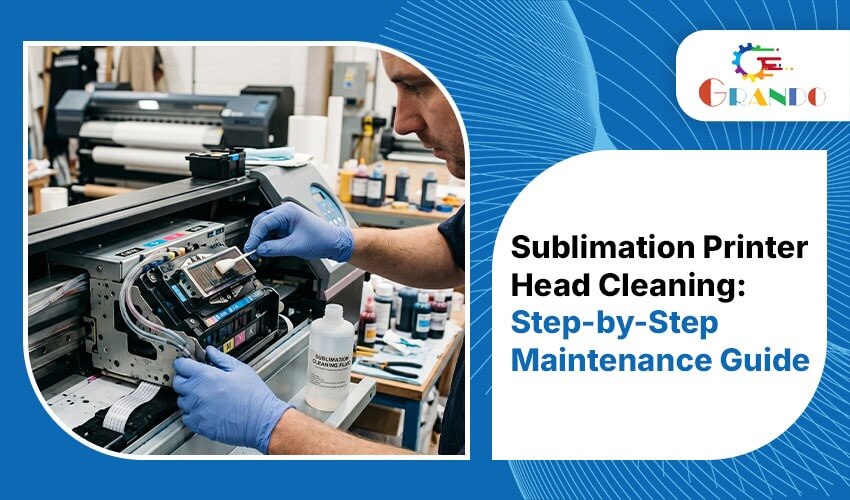
A clean sublimation printer head is essential for producing vibrant colors, sharp details, and consistent print quality. However, clogged nozzles can lead to banding, faded colors, missing lines, and costly production delays.
In this guide, you’ll learn what causes sublimation printer head clogs, how to clean a sublimation printer head safely, and the maintenance practices that help extend the life of your printing equipment.
What Is a Sublimation Printer Head and Why Does It Get Clogged?
The sublimation printer head is one of the most important components of any sublimation printer. It contains hundreds of microscopic nozzles that accurately spray tiny droplets of CMYK ink onto sublimation transfer paper. This precision is what allows businesses to produce vibrant, high-quality prints using modern sublimation printing systems from Grando.
However, because these nozzles are extremely small, they are susceptible to clogging. When ink remains exposed to air for extended periods, it can dry inside the nozzle channels and restrict ink flow.
Common Reasons for Sublimation Print Head Clogs
Several factors can contribute to sublimation printer head blockages:
- Leaving the printer unused for several days without performing maintenance
- Operating in low-humidity environments, especially below 35%
- Using low-quality, expired, or incompatible sublimation inks can significantly increase the risk of nozzle blockages.
- Dust and debris accumulating on the nozzle surface
- Mixing different ink brands within the same printer system
Businesses across Gujarat often experience sublimation printer head issues during hot summer months due to fluctuating humidity levels. Running a nozzle check at the beginning of each workday can help identify problems before production starts.
Early Signs Your Sublimation Print Head Requires Cleaning
Identifying a clog early can prevent expensive repairs and unnecessary downtime. Pay attention to the following warning signs:
- Faded or streaky prints
- Banding across transfer paper
- Missing colours in nozzle test patterns
- Uneven ink distribution across the print area
- White horizontal lines appearing in designs
- Colours appearing dull or less vibrant than usual
If any of these symptoms appear, pause production and inspect the sublimation printer head before continuing.
Essential Supplies for Print Head Cleaning
Before beginning the cleaning process, gather the following items:
- Lint-free cloths or foam cleaning swabs
- Distilled water
- A 50/50 mixture of isopropyl alcohol and distilled water
- Manufacturer-approved print head cleaning solution
- Disposable protective gloves
- A shallow tray for soaking procedures
Important: Never use tap water when cleaning sublimation printer heads. Minerals present in tap water can leave deposits that create additional blockages.
How to Clean a Sublimation Print Head: Step-by-Step Guide
Step 1: Print a Nozzle Test Pattern
Start by running a nozzle check through your printer’s maintenance software or control panel.
This test identifies which color channels are affected and provides a benchmark for evaluating the cleaning results later, allowing you to confirm whether the cleaning process has resolved the issue.
Step 2: Run the Printer’s Automatic Cleaning Function
Most sublimation printers include built-in maintenance tools.
Open the printer utility software and select the option labeled Head Cleaning or Nozzle Cleaning. Run one or two cleaning cycles and then print another nozzle test.
Minor sublimation printer head clogs are often cleared after one or two cycles.
Tip: Avoid running more than three consecutive cleaning cycles. Excessive cleaning consumes ink and can place unnecessary strain on the printer’s maintenance system.
Step 3: Perform a Manual Surface Cleaning
For light blockages that remain after automatic cleaning:
- Turn off the printer.
- Move the print head carriage to the center position if your printer allows it.
- Lightly dampen a lint-free cloth with the isopropyl alcohol and distilled water mixture.
- Gently wipe the nozzle plate in a single direction.
Do not scrub back and forth, as this may push contaminants deeper into the nozzles.
After cleaning, restart the printer and perform another nozzle test.
Step 4: Use the Soaking Method for Severe Clogs
When regular cleaning methods fail, soaking can often restore blocked nozzles in a sublimation printer head.
Procedure:
- Remove the print head according to the manufacturer’s instructions.
- Pour a small amount of approved cleaning solution into a shallow tray.
- Ensure only the nozzle plate is submerged.
- Allow the print head to soak for approximately 10–30 minutes.
- Remove the head and gently blot excess fluid using a lint-free cloth.
- Reinstall the print head.
- Run one automatic cleaning cycle before printing.
Important: Never soak a print head for longer than one hour. Extended exposure to cleaning chemicals can damage internal components.
Step 5: Verify the Results
After cleaning, print a final nozzle test pattern.
A properly functioning sublimation printer head should display complete CMYK patterns without missing lines or gaps.
If one colour channel continues to show missing nozzles after multiple cleaning attempts, professional servicing or replacement may be necessary.
Recommended Sublimation Printer Head Maintenance Schedule
Preventive maintenance is significantly more cost-effective than emergency repairs and helps maximize the lifespan of your sublimation printer head.
Daily
- Run a nozzle check before production begins
- Keep the printer area clean and dust-free
Weekly
- Inspect the print head and capping station
- Wipe away visible dust or ink residue
Every 1–2 Weeks
- Perform the printer’s automatic cleaning cycle
Monthly
- Check humidity levels in the workspace
- Inspect ink lines, dampers, and maintenance components
As Needed
- Perform manual cleaning or soaking procedures when nozzle tests indicate clogging
If print quality issues persist even after cleaning, choosing the correct sublimation paper can make a significant difference. Read our guide on sublimation printing paper in Surat.
Five Mistakes That Can Damage a Sublimation Print Head
1. Cleaning with Tap Water
Tap water contains minerals that can accumulate inside nozzles and restrict ink flow. Always use distilled water.
2. Touching the Nozzle Surface
Natural oils from your skin can contaminate the nozzle plate and contribute to future clogs.
3. Using Sharp Objects
Pins, needles, or other sharp tools can permanently damage the nozzle surface and may void the printer warranty.
4. Mixing Different Ink Brands
Different ink formulations can react chemically when combined, leading to severe and sometimes irreversible blockages.
5. Leaving the Print Head Exposed
Even short periods of exposure to air can cause ink to dry around the nozzle openings. Always park or cap the print head when the printer is idle to protect the sublimation printhead.
Frequently Asked Questions
1.How often should a sublimation print head be cleaned?
For printers used regularly, run an automatic maintenance cycle every one to two weeks. If the machine remains unused for more than three days, perform a cleaning cycle before resuming production.
2. Can I clean a print head without a professional cleaning kit?
Yes. Minor clogs can often be cleared using a 50/50 mixture of isopropyl alcohol and distilled water. For stubborn blockages, use a cleaning solution approved by the printer manufacturer.
3. Why does my print head remain clogged after cleaning?
Persistent clogs may indicate dried ink deep inside the nozzle channels, damaged dampers, or internal component failure. If soaking and cleaning do not resolve the issue, professional servicing may be required.
4. What is the average lifespan of a sublimation print head?
With proper care and maintenance, most quality sublimation print heads last between two and five years. Poor maintenance practices, low-quality ink, and unsuitable environmental conditions can significantly reduce lifespan.
5. Where can businesses in Surat purchase genuine sublimation printer spare parts?
Businesses looking for authentic print heads, maintenance kits, sublimation inks, and replacement components can source them from Grando India, a trusted supplier of sublimation printer spare parts, printing solutions, and technical support across Gujarat and India.
Final Thoughts
The Sublimation printer head is the heart of every sublimation printing system. Keeping it clean and properly maintained ensures consistent colour accuracy, sharp image quality, and reliable production performance.
Whether you operate a small textile printing setup or a large-scale sublimation facility in Surat, Ahmedabad, or elsewhere in India, adopting a proactive maintenance routine can significantly reduce downtime, lower repair costs, and extend the life of your equipment.
Regular nozzle checks, proper cleaning techniques, quality inks, and controlled humidity levels all contribute to a healthier sublimation printer head and a more productive printing operation.
Need genuine print heads, spare parts, sublimation paper, or technical assistance? Visit Contact Us to speak with the Grando support team.