
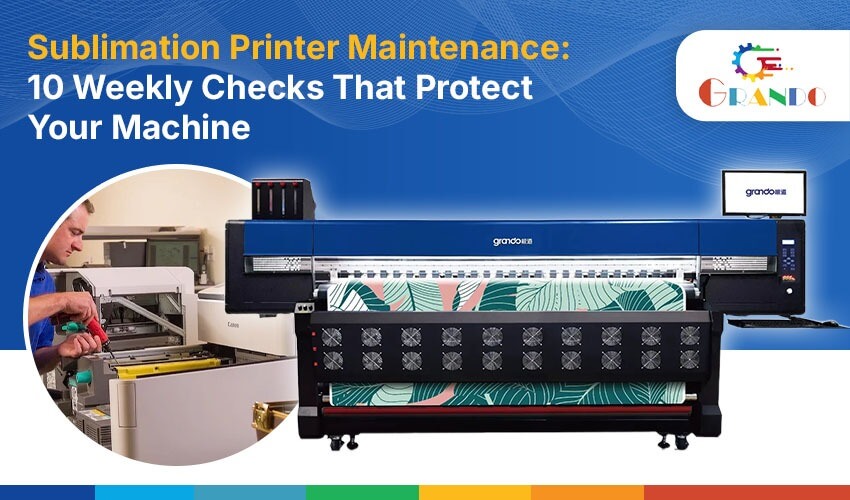
However, without proper maintenance, regular printing operations can lead to clogged printheads, inconsistent ink flow, colour variations and unexpected production delays. Therefore, following a regular maintenance routine helps prevent these issues and keeps your printer performing reliably.
That is why sublimation printer maintenance should be part of your weekly production routine.
A few simple checks can help protect your machine, improve printing consistency and reduce unexpected repair costs. Here are 10 weekly maintenance checks every sublimation printer owner should follow.
Why is Weekly Sublimation Printer Maintenance Important?
Sublimation printers rely on precise ink delivery, controlled paper feeding and consistent printhead performance. Even small maintenance issues can affect output quality and production efficiency.
Regular maintenance helps you:
- Maintain consistent colour output and print quality.
- Reduce printhead clogging and ink wastage.
- Identify mechanical issues before they become major problems.
- Improve ink and sublimation paper utilisation.
- Minimise unexpected production downtime.
- Extend the working life of essential printer components.
Moreover, for businesses handling daily fabric printing orders, preventive maintenance plays a crucial role in maintaining consistent production schedules and minimising unexpected downtime.
10 Weekly Sublimation Printer Maintenance Checks
1. Check Printhead Performance
The printhead is one of the most important components of a sublimation printer. It controls how ink is deposited onto sublimation paper.
Start your weekly routine with a nozzle check or test print. Look for missing lines, uneven patterns or colour inconsistencies.
If you notice printing defects, follow the manufacturer’s recommended cleaning procedure. Avoid performing repeated cleaning cycles unnecessarily, as they can consume additional ink.
Pro Tip: Check print quality before starting large production orders to avoid wasting paper and ink.
2. Clean the Capping Station
The capping station helps protect the printhead when the machine is not printing. Ink residue, dust and dried ink can affect its sealing performance.
Include a visual inspection of the capping station in your weekly maintenance routine.
- Check for accumulated ink residue.
- Inspect the cap surface for dirt or damage.
- Use manufacturer-approved cleaning materials.
- Avoid touching or damaging sensitive components.
Proper capping station cleaning supports reliable printhead maintenance and helps reduce drying-related issues.
3. Inspect Sublimation Ink Levels and Quality
Ink management directly affects printing performance and production costs.
Check ink levels across all colour channels and inspect the ink supply system for visible leaks, air bubbles or irregularities.
Use compatible, high-quality sublimation printer ink to maintain consistent colour reproduction.
For better ink optimization in sublimation printing:
- Monitor ink consumption regularly.
- Use the recommended ink for your printer model.
- Avoid mixing incompatible ink formulations.
- Keep ink containers properly sealed.
- Check the manufacturer’s recommended storage conditions.
Pro Tip: Maintaining consistent ink quality can help reduce colour variations between print jobs.
4. Inspect Sublimation Paper Feeding
Paper feeding problems can cause wrinkles, misalignment, wasted prints and production delays.
Check the paper path, rollers and feeding mechanism for dust, paper fragments or visible damage.
Also, ensure that the paper is loaded correctly and follows the recommended specifications for your printer.
Using suitable sublimation paper helps support consistent ink transfer and reliable printing results.
5. Check Printhead Cleaning and Maintenance Cycles
Printhead cleaning is essential, but unnecessary cleaning can increase ink consumption.
Check whether the printer has any maintenance alerts or signs of printhead performance issues.
Follow these practices:
- Run a nozzle check when required.
- Use normal cleaning cycles as recommended.
- Avoid repeated deep cleaning without identifying the issue.
- Follow the manufacturer’s maintenance instructions.
A consistent maintenance approach helps balance print quality and ink optimization.
6. Inspect Rollers and Mechanical Components
Rollers play an important role in maintaining smooth paper movement.
Inspect accessible rollers and mechanical components for accumulated dust, paper residue or unusual wear.
Check for:
- Uneven roller movement.
- Visible surface damage.
- Paper feeding inconsistencies.
- Unusual sounds during operation.
Clean only the accessible components using approved methods. For worn or damaged components, consult a qualified technician.
7. Check the Waste Ink System
During cleaning and maintenance cycles, excess ink is collected through the printer’s waste ink system.
Inspect the waste ink tank, collection area or maintenance components according to your machine’s design.
Look for warning messages, overflow signs or leakage.
Do not ignore waste ink alerts. A full or poorly maintained waste ink system can interrupt printing and potentially cause damage.
8. Maintain Proper Printing Environment
Environmental conditions can influence sublimation printing performance.
Dust, excessive humidity and unsuitable temperatures may affect paper handling, ink behaviour and overall machine operation.
For better digital textile printing machine upkeep:
- Keep the printing area clean and dust-free.
- Follow the manufacturer’s temperature and humidity recommendations.
- Store sublimation paper in suitable packaging.
- Keep ink away from direct sunlight and excessive heat.
- Avoid placing the printer near sources of dust or moisture.
A controlled printing environment supports consistent production quality.
9. Inspect Cables, Connections and Software Settings
Not every printing issue comes from the printhead or ink system.
Loose connections, outdated settings or incorrect print configurations can also interrupt production.
Check the following every week:
- USB or network connections.
- Power cables and visible cable damage.
- Printer communication and error alerts.
- Print resolution and colour settings.
- RIP software and printer configuration.
Keep your software and printer settings aligned with the recommended operating requirements.
10. Review Spare Parts and Record Maintenance Activities
Preventive maintenance also involves identifying components that may require attention or replacement before they cause unexpected issues.
Inspect accessible maintenance parts and review any recurring printer warnings.
Keep track of:
- Printhead performance.
- Cleaning cycles.
- Ink consumption.
- Paper feeding issues.
- Maintenance alerts.
- Parts requiring inspection or replacement.
Using compatible sublimation printer spare parts helps ensure that replacement components meet your machine’s requirements.
Additionally, maintaining a proper service log makes it easier to track recurring problems and schedule timely servicing before they affect production.
Weekly Sublimation Printer Care Checklist
Use this simple checklist to make maintenance part of your regular production routine.
| Weekly check | What to inspect |
| Printhead | Nozzle check and print quality |
| Capping station | Ink residue and cap condition |
| Ink system | Ink levels and supply condition |
| Paper feeding | Rollers and paper alignment |
| Cleaning cycles | Maintenance alerts and cleaning requirements |
| Mechanical parts | Dust, wear and unusual movement |
| Waste ink system | Tank condition and alerts |
| Printing environment | Dust, temperature and humidity |
| Connections | Cables, software and settings |
| Spare parts | Component condition and maintenance records |
Important: These checks are general preventive maintenance recommendations. Always follow your specific printer manufacturer’s maintenance manual for cleaning procedures, replacement intervals and servicing requirements.
Common Sublimation Printer Maintenance Mistakes to Avoid
Even experienced operators can overlook small maintenance practices that affect machine performance.
Here are some common mistakes to avoid:
- Ignoring nozzle check results.
- Using incompatible sublimation ink.
- Performing unnecessary deep cleaning cycles.
- Allowing dust to accumulate around the printer.
- Storing sublimation paper in unsuitable conditions.
- Ignoring waste ink warnings.
- Delaying replacement of worn components.
- Skipping regular maintenance records.
Avoiding these mistakes can help maintain a more consistent printing workflow and reduce preventable interruptions.
How Grando Supports Digital Textile Printing Businesses
Choosing the right printing equipment is only one part of building a successful textile printing business. Consistent consumables, compatible spare parts and proper machine care are equally important.
Grando supports digital textile printing businesses with solutions for sublimation printing, helping businesses access essential printing supplies and equipment for their production requirements.
Furthermore, whether you need sublimation ink, sublimation paper or compatible printer spare parts, choosing the right products is essential for maintaining smooth and efficient everyday printing operations.
If you are looking for a reliable Grando sublimation printer in Surat, explore the available solutions and find the right setup for your printing requirements.
Frequently Asked Questions About Sublimation Printer Maintenance
1. How often should I maintain my sublimation printer?
Ans: Basic visual inspections and print-quality checks should be performed regularly. A weekly maintenance routine can help identify potential problems, while cleaning and servicing frequency should follow the manufacturer’s recommendations.
2. How do I prevent sublimation printer printhead clogging?
Ans: Use compatible sublimation ink, follow recommended cleaning procedures, perform nozzle checks and follow the manufacturer’s instructions for machine inactivity and printhead protection.
3. Why is sublimation ink consumption increasing?
Ans: Higher ink consumption may result from frequent cleaning cycles, print settings, production requirements or ink delivery issues. Review cleaning frequency and printing configurations to identify the cause.
4. How often should I clean the capping station?
Ans: Inspect it regularly and clean it according to the printer manufacturer’s recommended schedule. Cleaning frequency may vary depending on the machine and its operating conditions.
5. Which consumables are important for sublimation printer maintenance?
Ans: Essential supplies include compatible sublimation ink, suitable sublimation paper and manufacturer-approved cleaning materials. Replacement maintenance components and spare parts may also be required.
6. Can regular maintenance improve sublimation printing efficiency?
Ans: Yes. Regular maintenance helps identify potential issues early, supports consistent print quality and reduces avoidable production interruptions.
Protect Your Printer Today. Keep Your Production Moving Tomorrow.
Your sublimation printer works hard to keep your business running. Give it the maintenance it deserves.
From choosing compatible sublimation ink and quality sublimation paper to replacing essential machine components, every small maintenance decision contributes to a smoother printing workflow.
Need the right supplies for your sublimation printing setup?
Connect with Grando to explore sublimation printing solutions, consumables and spare parts that support your production needs.
Don’t wait for a printing problem to interrupt your next order. Build your weekly maintenance routine today!
Keep Your Sublimation Printer Running at Its Best!
Regular maintenance, quality consumables and compatible spare parts help maintain consistent print quality and smooth production.
Looking for reliable sublimation printing supplies or support for your printing setup? Connect with Grando Digital Technology | OM Shanti Machineries for the right solutions.
Need sublimation ink, paper or printer spare parts?