
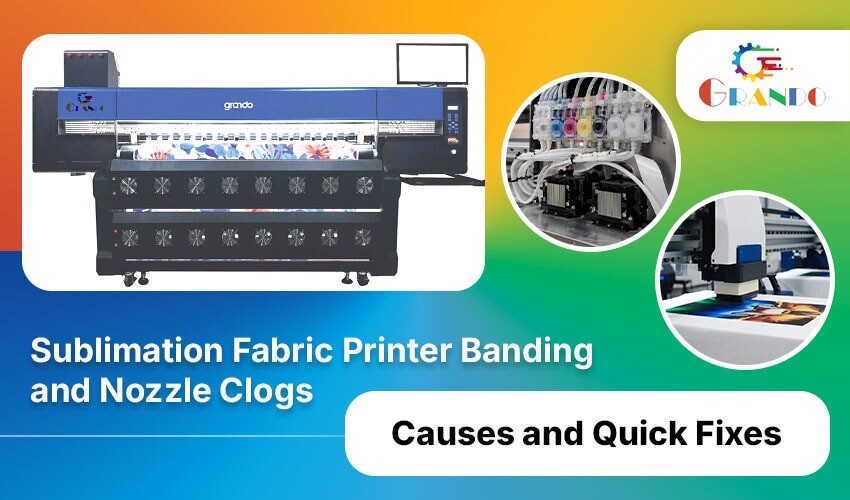
Short answer: Banding means lines or stripes across your print. A nozzle clog means a printhead outlet is blocked, so ink can’t reach the paper. On a sublimation fabric printer, most cases come from dried ink, dust or a poor capping station. Many can be fixed in your workshop without a technician.
Printer showing lines right now? Send a photo of your nozzle check pattern to Grando India on WhatsApp at +91 93777 77071. Our team will tell you the likely cause.
Key takeaways
- Banding usually comes from clogged nozzles, air in the ink lines, a dirty encoder strip, poor alignment or wrong print settings
- Idle time is the most common trigger. Ink dries at the nozzles overnight or over a weekend.
- Start with a nozzle check, then one standard cleaning cycle. Avoid repeated heavy cleaning.
- If lines return after cleaning, stop and call a technician.
What is banding on a Sublimation fabric printer?
Banding shows as lines across your print. These lines can be horizontal, white gaps, faded stripes or uneven colour. It happens when the printhead doesn’t lay down ink evenly from one pass to the next.
A sublimation fabric printer prints on transfer paper first. A heat press then moves the design onto fabric. So banding shows on the paper before it reaches the fabric. Always check the paper print first.
| What you see | Likely cause | What to try first |
| Thin white or missing lines | Clogged nozzles | Nozzle check, then one cleaning cycle |
| Faded colour in one stripe | One colour channel blocked or low | Check ink level and ink lines |
| Lines that appear suddenly | Air in ink lines or dampers | Inspect the ink lines and dampers |
| Light and dark bands, blurry edges | Misalignment or dirty encoder strip | Clean the encoder strip, then run printhead alignment |
| Regular, evenly spaced bands | Wrong settings or media feed problem | Check speed, passes, resolution and feed calibration |
Does this also happen on a direct to fabric printer?
Yes. A direct to fabric printer is also an inkjet machine, so it can have nozzle clogs and banding too. The main difference is that it prints straight onto the fabric instead of using transfer paper. It can also need different inks and fabric preparation. The steps below still help as a first check. For ink and cleaning details, follow your machine’s manual.
What causes banding on a sublimation printer?
These are the most common causes, starting with the most likely:
- Clogged printhead nozzles. This is the most common cause. Some nozzles stop spraying ink, which creates white or faded horizontal lines.
- Air in the ink lines or dampers. Air bubbles interrupt the ink supply and cause uneven printing.
- A dirty encoder strip. The encoder strip tells the printer where the printhead is. If it is dirty, the head can be positioned wrongly and the lines look uneven.
- Incorrect printhead alignment. Misalignment can produce light and dark bands, especially in bidirectional printing.
- Incorrect print settings. Wrong print speed, pass count, resolution or paper-feed calibration can all cause banding.
- Media feed or head height problems. Uneven paper feed can look like banding even when the nozzles are fine.
What causes nozzle clogs?
Nozzle clogs are the most frequent reason for missing lines. The main causes are:
- Ink drying at the nozzles after the machine sits idle.
- Dust and fabric fibres settling on the printhead during production.
- Poor capping, where the capping station doesn’t seal the printhead, so ink dries out.
- Old or low-quality ink that has thickened, settled, or formed particles.
- Air bubbles in the ink lines that interrupt flow to the nozzles.
- Unstable workshop conditions. Very dry, hot or dusty rooms dry ink faster. Check your printer manual for the recommended temperature and humidity.
For upkeep routines, see our weekly sublimation printer maintenance checklist.
How to fix banding and clogs: step by step
- Run a nozzle check. Use the machine’s test pattern and note exactly which nozzles are missing.
- Run one standard cleaning cycle from the control software, then check again. Repeated cleaning wastes ink and can stress the printhead.
- Inspect the capping station and wiper. Look for dried ink or fibre buildup, and clean them as your manual describes.
- Check the ink lines and dampers. Look for air bubbles or kinks, and confirm the ink supply is steady.
- Clean the encoder strip. Gently wipe it as your manual describes. Don’t use harsh liquids that your manual doesn’t recommend.
- Run printhead alignment from the control software, especially if you print in both directions.
- Check your print settings. Review print speed, pass count, resolution and paper-feed calibration for the paper you are using.
- Check head height and media feed. Uneven feed can look like banding even when the nozzles are fine.
- Let the machine rest, then test again. Some clogs clear once fresh ink reaches the nozzles.
- Still seeing lines? Stop cleaning and call a technician.
Not sure what your test pattern means? Send it to Grando India. We’ll read it for you and suggest the next step. [Book on WhatsApp]
How to prevent banding and clogs
- Cover the printer when it’s idle.
- Keep your workshop clean and dust-controlled.
- Use sublimation ink recommended for your printer model.
- Run the machine regularly instead of letting it sit for days.
- Keep a simple log of every cleaning and print-quality check. Patterns show up early.
Genuine components also matter for long-term print quality. Read our guide on guide on genuine vs duplicate sublimation printer spare parts.
When to call a technician
Call for service if you see any of these:
- Clogs that return within a few prints after cleaning
- A sudden drop in print quality across the full width
- Ink leaks, grinding noises, or error messages you can’t clear
Printhead and capping problems can damage the machine if handled wrongly. A technician can find the cause before it becomes an expensive repair. If you’re comparing machines, our 12/16-head sublimation printer guide explains how after-sales support affects ownership.
Frequently asked questions
Q1) Why does my Sublimation fabric printer show lines after sitting idle?
Ans: Ink dries at the nozzles when the machine isn’t used. Run a nozzle check and one cleaning cycle before starting production.
Q2) Can I fix a clogged nozzle myself?
Ans: Yes, for minor clogs. Use the built-in cleaning cycle and inspect the capping station. If the problem repeats, get professional help.
Q3) Is banding always a printhead problem?
Ans: No. Paper feed, head height, and ink supply can all cause banding. Check these before assuming the printhead is damaged.
Q4) How often should I clean the printhead?
Ans: Follow your machine’s manual. Many units get a quick daily check and a deeper weekly clean, depending on usage.
Q5) Does non-genuine ink cause clogs?
Ans: It can. Ink with inconsistent particle size or poor viscosity control is more likely to block nozzles. Use ink recommended for your model.
Q6) Where can I get sublimation printer service in Surat?
Ans: Grando provides service for sublimation and digital textile printing machines in Surat and across Gujarat. Send your test pattern or call us, and our team will suggest the next step or arrange a visit.
Q7) How do I find sublimation printer service near me?
Ans: Look for a provider that offers genuine spare parts, clear diagnosis and fast response. If you are in Surat or Gujarat, contact Grando for a service visit.
Q6) How much does printhead repair cost in India?
Ans: It depends on your printer model and the damage. A technician’s diagnosis is the only reliable way to know. Contact Grando India for a clear quote before any work starts.
Q7) Can I fix banding without replacing the printhead?
Ans: Yes, in many cases. Banding is often caused by clogged nozzles, air in the ink lines, a dirty encoder strip, poor alignment or wrong print settings. Check these first. If the lines return after cleaning, call a technician.
Q8) Can wrong print settings cause banding on a sublimation printer?
Ans: Yes. Wrong print speed, pass count, resolution or paper-feed calibration can cause banding even when the printhead is healthy. Check your settings before cleaning the head again.
Get help from Grando in Surat
If your machine shows any of these symptoms, Contact Grando for professional diagnosis, genuine spare parts, or an on-site service visit. We support textile printing businesses across Surat and Gujarat, helping them maintain machine performance and minimise unexpected downtime through regular maintenance.
Whether you operate a sublimation fabric printer, a direct-to-fabric printer, or another textile printing machine, Grando India offers technical assistance and maintenance solutions to keep your equipment running smoothly.
Our support services include:
- Diagnosis of banding and print-quality problems
- Genuine spare parts and recommended ink
- Service visits and a maintenance routine for your workshop
[Call ] | [Book a service visit]
Further reading: Inkjet printing (Wikipedia)
About the author
Grando Surat is the team behind Grando India: Best Digital Textile Printing Machines in Surat, a brand of OM SHANTI MACHINERIES EXIM. We supply digital textile printing machines, sublimation printers, genuine spare parts and service support to textile units in Surat and across Gujarat.